Nora Furnish
Skip to content
The First Days of Fall SaleUp to 30% off Autumn at Home Ends soon Shop the sale
Autumn at Home New Arrivals Grand Collection Best Sellers Ceiling Lights Wall Lights Lamps Outdoor Ambient Decor Soft Furnishings Shelves Sale

Your cart

Your cart is empty

Start with a favorite, or pick a room to light.

Buy 2 items, save 10%. Buy 3 or more, save 15%

Free US shipping30 day returnsSecure checkout
Get 10% off your first order

USB PC Monitor Light Strip

Price$67.99

$54.39 Member price

Members save 20% · Join now

Monitor Size:24"

In stock

  • Free & tracked shipping6 to 9 business days
  • Secure checkoutEncrypted on Shopify
  • Easy returns30 days from delivery

Bundle & Save

Mix and match any pieces. The saving comes off automatically at checkout, no code needed.

USB PC Monitor Light Strip
USB PC Monitor Light Strip Price$67.99
Monitor Size:

Monitor Size

24"

Why you'll love it

Softer screen time after dark

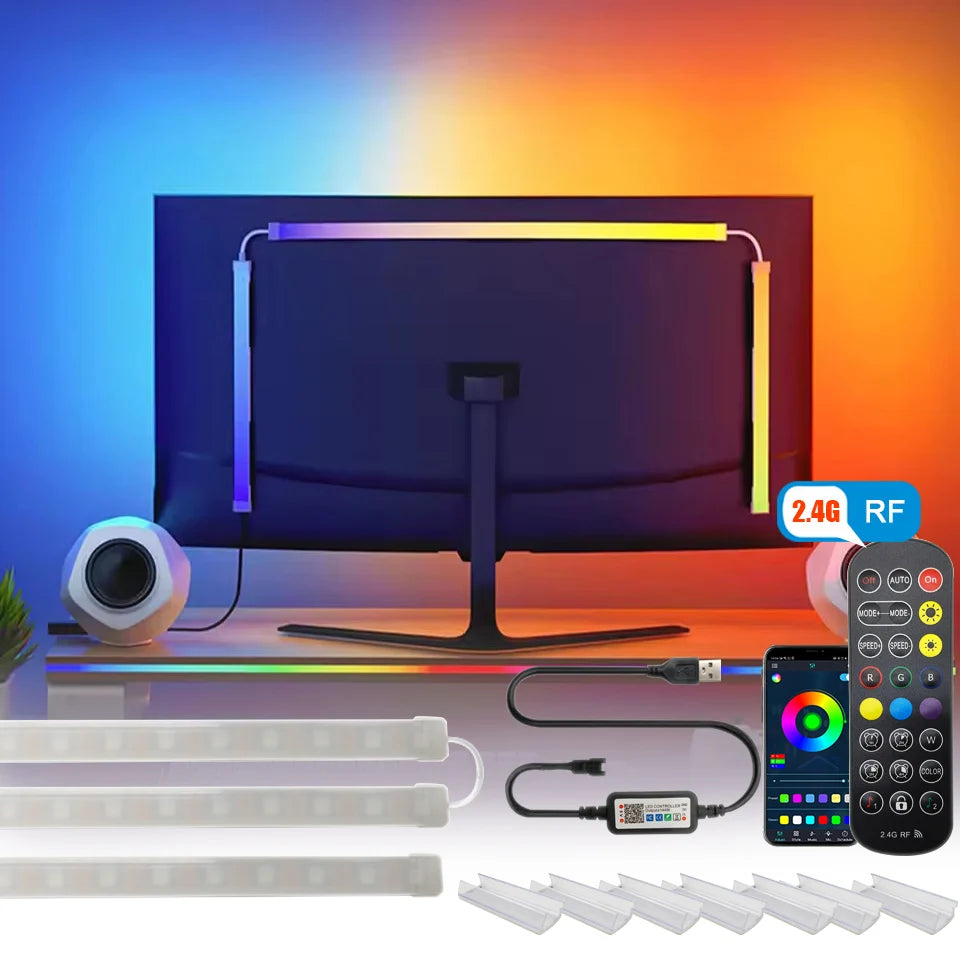
This strip mounts on the back panel of a monitor and lights the wall behind the screen, which cuts the harsh contrast between a bright display and a dark room during evening work or gaming. It is powered entirely through USB, so it runs from the monitor itself, the computer or any standard USB charger, and it switches on and off with the rest of your setup.

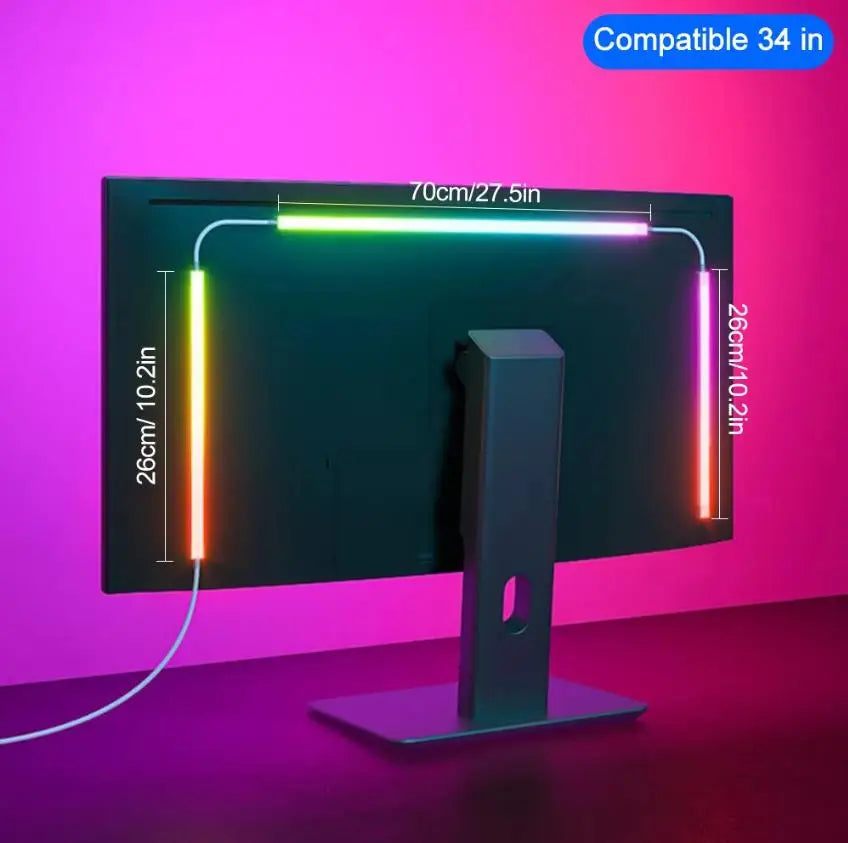
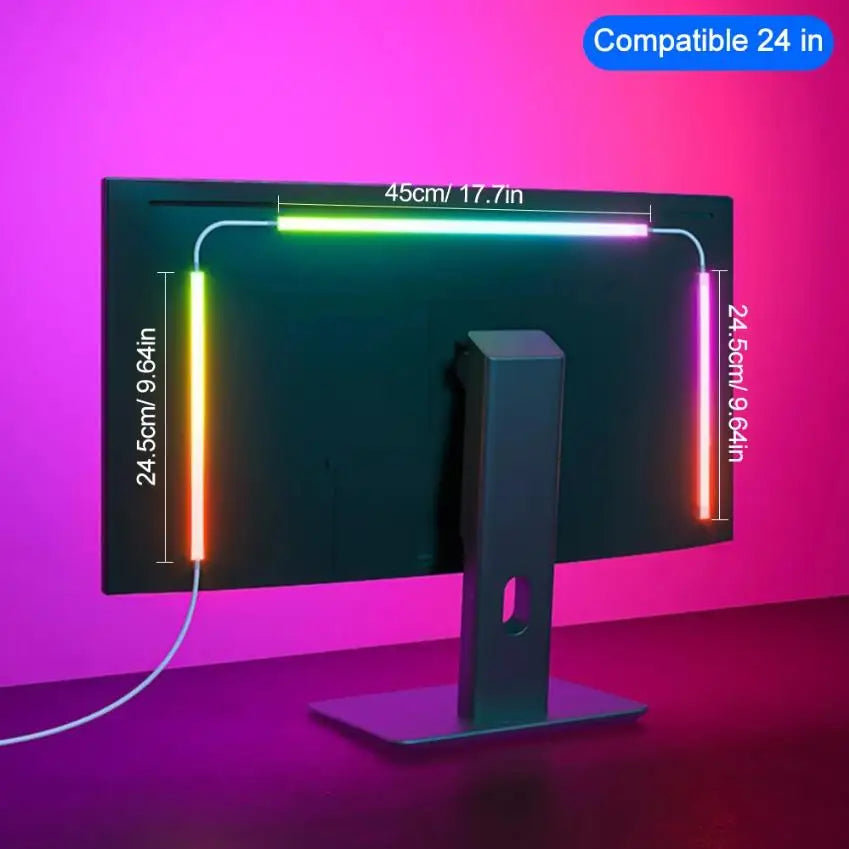
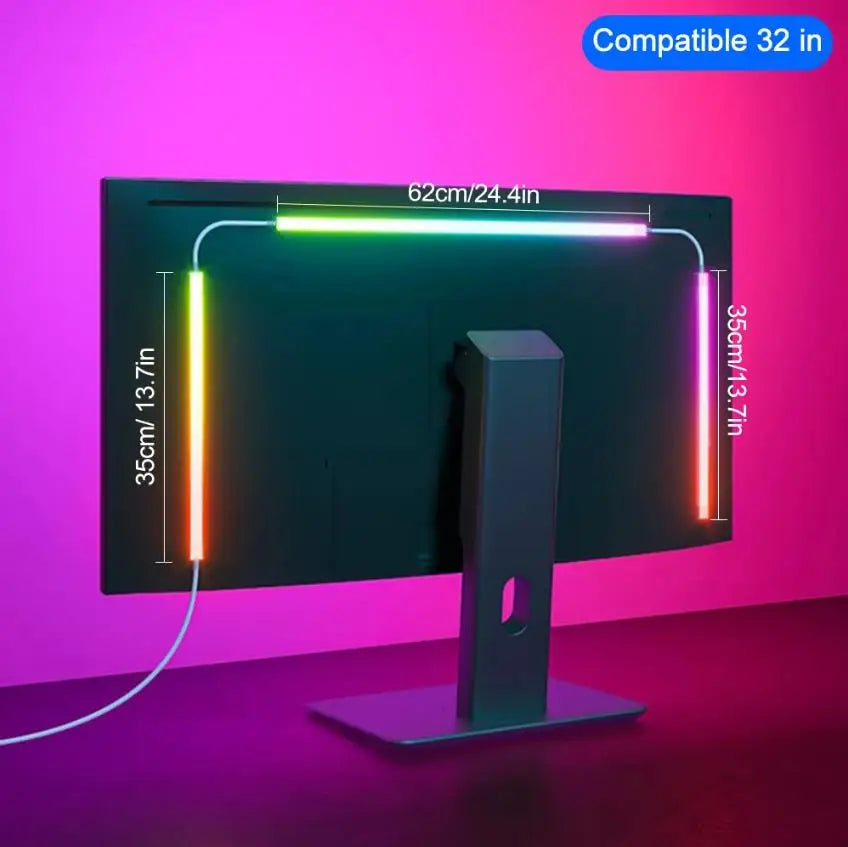
Choose the length by monitor size, so the strip fits the screen rather than trailing past it. The strip is narrow and the LEDs are built in, giving a low cost way to add soft bias lighting to a desk without another cable to an outlet.

Bulk & project orders

Lighting a whole home, office, hotel or rental? Order in quantity: 10% off 2 pieces, 15% off 3 or more, and project pricing for larger orders.

Get a quote
  • Premium craftsmanshipQuality materials, carefully finished.
  • Free & tracked shippingTracked delivery across the USA.
  • Easy 30 day returnsShop with complete peace of mind.

Why customers love us

4.7 stars based on 1,368 reviews

Customer reviews

5.0

1 review

Diane Garcia.

I bought one of these for my own TV to use as light during the night and my kids lived the look so much they also wanted one for their TVs so I bought 2 more. It's best to just buy the largest size since it's only about 1 dollar difference compared to the smaller sizes but you get a lot more LEDs. well worth the money and is good for aesthetics. Arrived quick to the US, comes with a remote to control the colors and has sticky pads to attach to the back of a tv or computer screen.

Reply from Nora Furnish

Diane, we love that the USB PC monitor light strip was such a hit that your kids wanted their own for their TVs. Your tip about the largest size being only a dollar more for a lot more LEDs is such a helpful one. Thank you for sharing it with other shoppers!

Warm regards,
The Nora Furnish Team

  • 5 stars: 1 (100%)
  • 4 stars: 0 (0%)
  • 3 stars: 0 (0%)
  • 2 stars: 0 (0%)
  • 1 star: 0 (0%)
D
Diane Garcia.

I bought one of these for my own TV to use as light during the night and my kids lived the look so much they also wanted one for their TVs so I bought 2 more. It's best to just buy the largest size since it's only about 1 dollar difference compared to the smaller sizes but you get a lot more LEDs. well worth the money and is good for aesthetics. Arrived quick to the US, comes with a remote to control the colors and has sticky pads to attach to the back of a tv or computer screen.

Diane, we love that the USB PC monitor light strip was such a hit that your kids wanted their own for their TVs. Your tip about the largest size being only a dollar more for a lot more LEDs is such a helpful one. Thank you for sharing it with other shoppers!

Warm regards,
The Nora Furnish Team

The Nora Furnish guide

What Makes the USB PC Monitor Light Strip Such a Good LED Strip Light

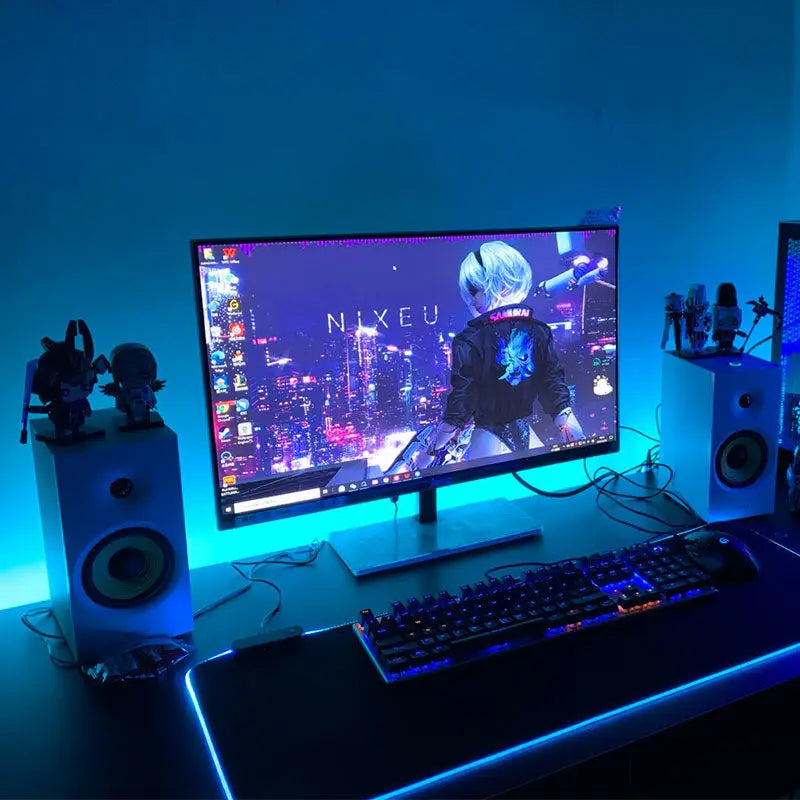
Working or gaming late at night in a dark room is hard on the eyes. The screen is the only bright object, and your eyes keep adjusting between the glowing display and the darkness around it. A light behind the monitor softens that contrast. The USB PC Monitor Light Strip does exactly that. It mounts on the back of the monitor, lights the wall behind the screen and makes the whole desk feel calmer and more comfortable.

It is also one of the simplest strip lights to add to a room. There is no wiring and no extra outlet: it runs from a USB port on the monitor, the computer or any standard USB charger, and it is sized to your screen so it looks tidy from day one.

What makes the monitor light strip stand out

The bias lighting effect comes first. By washing the wall behind the screen with soft light, the strip reduces the harsh contrast between a bright display and a dark room. It is a small change that makes long evening sessions at the desk noticeably more comfortable.

USB power is the second strength. The strip plugs into the monitor itself, the computer or a USB charger, so it turns on and off along with the rest of your setup. There is no separate power brick to hide and no extra cable to run to a wall outlet. The USB cable is 4.9 feet long, enough to reach a port on most setups.

The sizing is the third. Choose the option that matches your monitor, 24, 27, 32 or 34 inches, and the strip suits that screen. It is only 0.39 inches wide, with the LEDs built in, so it stays invisible from the front and only the glow shows.

Where it looks best, room by room

  • Home offices. A softer screen for evening emails and late deadlines.
  • Gaming setups. A glow behind the monitor adds atmosphere to every session.
  • Dorm rooms. An easy upgrade for a desk that doubles as a study and a hangout.
  • Creative studios. Softer surroundings for long editing or design work.
  • Streaming corners. A lit wall behind the screen looks good on camera.

It suits any desk where the monitor sits a little way from the wall, so the light has somewhere to spread.

Choosing the size and placement

Choose the strip by monitor size: 24, 27, 32 or 34 inches. The strip is 0.39 inches wide, and the USB cable is 4.9 feet long.

  • Wipe the back panel of the monitor clean and dry before pressing the strip on.
  • Keep the strip toward the outer edge, so the glow reaches the wall instead of being trapped behind the stand.
  • Route the cable down the monitor stand rather than letting it hang.
  • Leave a little space between the monitor and the wall for the light to spread.

A careful clean before fitting is the best way to keep the strip in place for the long term, since dust is the usual reason adhesive lifts over time.

Layering it with other lighting

A monitor strip is a bias light, the soft layer behind the screen. It works best alongside a gentle room light, such as a desk lamp angled away from the screen or a floor lamp in a corner. Avoid bright lights directly behind you, which cause reflections on the screen.

For a desk lamp that pairs well with bias lighting, the table lamps collection has compact lamps with soft shades. For more color around a gaming setup, the LED strip lights collection has strips for desk edges and shelves.

Keep the setup comfortable rather than dramatic. A soft glow behind the screen and a warm lamp nearby make a desk that is easy to sit at for hours, which is the real point of bias lighting.

Wall color changes the effect. A pale wall behind the monitor reflects the glow strongly and gives the most noticeable bias light. A dark wall absorbs more of it, giving a subtler halo. Both reduce contrast; the pale wall simply does it more visibly.

Because it switches on with the monitor or computer when plugged into their USB ports, the strip becomes part of your routine without any extra effort. Sit down, turn on the screen and the wall glows too.

A tidy desk makes the effect even better. Route the USB cable down the monitor stand and along the back edge of the desk, so nothing dangles in view. With the cables hidden, the only thing you notice is the soft glow behind the screen, which makes a small workspace feel calmer and more finished.

For shared or dual monitor setups, a strip on each screen keeps the glow even across the whole wall, so neither side of the desk feels darker than the other.

Is the monitor light strip right for your desk?

It is a strong fit if you:

  • Work or game at a monitor in the evening.
  • Want to soften the contrast between screen and room.
  • Prefer USB power with no extra outlet.
  • Have a 24 to 34 inch monitor with a little space behind it.

It is not the right choice for a monitor mounted flat against a wall with no gap, or for anyone who wants bright task light on the desk surface, where a desk lamp would do more.

Shipping is free across the US, and most orders arrive in 6 to 9 business days. Unused items in their original packaging can be returned within 30 days, and questions about sizing are answered at info@norafurnish.com.

Frequently asked questions

Will it fit an ultrawide monitor?

The largest option is sized for a 34 inch monitor. For other sizes, choose the closest option below your screen size, or email info@norafurnish.com to check the fit before ordering.

Does it turn on with my computer?

When plugged into a USB port on the monitor or the computer, it switches on and off with that device, so it becomes part of your normal setup routine.

How long is the USB cable?

The USB cable is 4.9 feet long, which reaches a port on the monitor, the computer or a nearby USB charger on most desks. Route it down the stand for a tidy look.

How do I attach it?

Wipe the back panel of the monitor clean and dry, then press the strip on toward the outer edge so the glow reaches the wall rather than being trapped behind the stand.

Does it help with eye strain?

Light behind the screen reduces the contrast between a bright display and a dark room, which many people find more comfortable for long evening sessions at the desk.

What is it made of?

It is made from durable metal and LED components with a quality finish. Slight color variation can occur between screens and the physical product you receive.

Is a wall adapter included?

No. A wall adapter is not included. The strip runs from a USB port on the monitor or computer, or from any standard USB charger you already own.

Can I use it on a TV?

It is sized for monitors from 24 to 34 inches. For a larger TV, the TV backlight options in the LED strip lights collection are sized for bigger screens.

How do I clean it?

Unplug it first, then wipe the strip gently with a soft, dry cloth. Keep the electrical connections dry and avoid harsh chemical cleaners on the strip.

What if it does not fit my monitor?

Unused items in their original packaging can be returned within 30 days. Email info@norafurnish.com with your order number before sending anything back, and the team will help.